

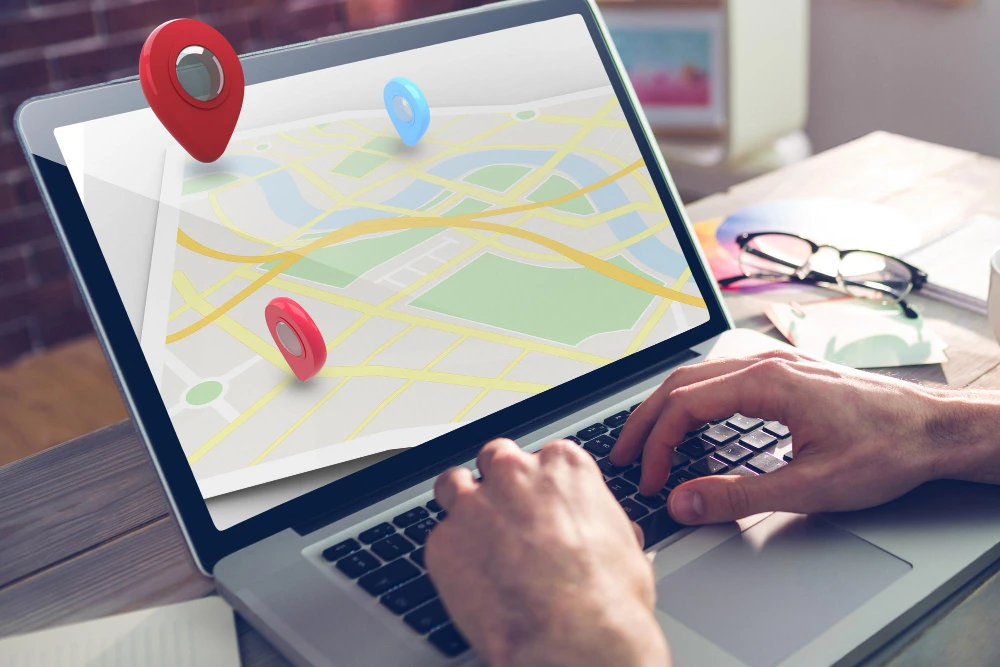
Over 80% of Malaysian buyers search online for nearby shops and services every single day. If customers search for your shop and find your business not showing on Google Maps, you lose sales to nearby rivals. Having an active digital storefront requires a complete Google Business Profile so local shoppers can find you quickly.
When your store stays hidden on online map apps, your daily foot traffic drops fast. Fixing these simple profile errors helps nearby customers call, visit, and buy from your business today.
What Should Malaysian Businesses Check First?
Start by checking basic listing details before fixing deeper account settings. Search engines need accurate data to trust your local shop.
- Account Verification Status: Check if your account is verified with a video, phone code, or postcard.
- Core NAP Consistency: Ensure your business name, street address, and phone number match across all websites.
- Category Alignment: Confirm that your main primary category matches the real service you offer in Malaysia.
- Pin Placement Accuracy: Open Google Maps on a phone to see if your red pin sits right on your shop door.
- Website Link Integrity: Click your website link to ensure it loads fast without returning error pages.
Reasons Your Business Is Not Showing on Google Maps and How to Fix Them
1. Google Business Profile Not Verified
Unverified accounts rarely show up on local map results. Search engines hide unverified accounts to protect users from fake spam listings.
How to Fix It
Log into your business dashboard and request a verification method. In Malaysia, you usually record a short video showing your store sign, street name, and stock room.
2. Incorrect Business Information (NAP Discrepancies)
Mismatched phone numbers or addresses confuse search engine systems. If your social media pages list different details than your website, your profile rank drops.
How to Fix It
Make your contact details identical across all websites. Match street names, unit numbers, and postcodes in cities like Kuala Lumpur or Penang across every profile.
3. Wrong Business Category Selection
Choosing the wrong business tag keeps your shop away from actual buyers. If you fix cars but select car sales, you miss active local drivers.
How to Fix It
Open your account settings and pick the main tag that best describes your store. Then add clear secondary categories to cover extra services you offer.
4. Low Quality or Missing Customer Reviews
Listings without recent positive star ratings stay hidden below popular competitors. Search algorithms treat a lack of review posts as an inactive shop.
How to Fix It
Ask happy buyers to post honest reviews after visiting your store. Send quick review links through text messages and reply politely to every customer comment.
5. Location Relevance and Distance Issues
Map apps automatically show businesses that sit close to where the user stands. If your shop sits far away, your map view count drops naturally.
How to Fix It
Set up clear service areas in your dashboard settings if you deliver items to homes. Mention local landmarks on your website, so search tools know your area.
6. Website Not Linked Properly
A broken or missing website link lowers your listing trust score. Search systems check your linked web page to confirm your real business status.
How to Fix It
Link your profile to a mobile page that loads smoothly on phones. Use secure web links and put matching store contact details in your website footer.
7. Missing Local Citations
If other regional websites do not list your shop, search systems doubt your business presence. Listing your store across directory sites proves you are open.
How to Fix It
Add your shop name and address to trusted Malaysian business lists and web portals. Use identical contact info on every external directory page you create.
Strategic Local Search Engine Optimization Techniques
Improving map rankings takes steady account updates paired with basic website work. This will help to overcome the problem of a business not showing on Google Maps.
Mastering Google Business Profile Setup
Updating your Google Business Profile regularly helps keep your store visible across local area searches. Complete account details show search systems that your business is active and reliable.
Keep your store hours updated, post clear photos of your team, and share quick news updates. These easy tasks help nearby shoppers find your shop quickly while building customer trust.
Understanding Google Maps SEO Mechanics
Using simple Google Maps SEO steps helps your business rank above competing local stores on users’ phone screens. Search apps look at distance, relevance, and reviews to rank local shops.
Add local town names to your website text so search engines match your shop with nearby buyers. Building local signals helps web tools send local shoppers directly to your front door.
Competitor Analysis in the Malaysian Local Search Market
Look at top local competitors to see why their listings rank above your business on maps.
- Review Velocity and Quality: Top stores get new star ratings every week instead of long silent gaps.
- Profile Detail Completeness: High rankings come from using every feature, like product lists, price menus, and photos.
- Local Directory Presence: Leading stores show matching contact details on popular Malaysian directory sites and news blogs.
- On-Page Geographic Alignment: Their main websites mention specific city names and local neighborhoods throughout their content.
Professional Assistance to Expand Your Online Visibility
Fixing tough map ranking issues often takes expert work on your website setup and local directory links. If your team needs help fixing map problems, hire a trusted seo service Malaysia agency to fix penalty issues, update directory data, and bring new local buyers to your store daily.
Conclusion
Fixing a business not showing on Google Maps requires simple verification steps, clear contact details, correct store categories, and steady customer reviews. Updating your shop details helps local search apps trust your business as a top choice.
If you want to turn map searches into fresh daily sales, partner with Thecreatives360 to grow your online presence across Malaysia. Start today by fixing your map profile to reach nearby customers at Thecreatives360.
FAQs
1) Why is my business not showing on Google Maps after creation?
New profiles need time to complete video verification and system index updates. Check your dashboard to ensure your account meets basic user rules. You can also track your submission status directly inside your profile settings page.
2) How long does it take to fix a business not showing on Google Maps?
Simple profile edits take two days to show online. Raising your overall map position takes a few weeks of active updates. Regular photo uploads and fast review replies help speed up this ranking process.
3) Can a wrong category cause my business not showing on Google Maps?
Yes. Picking an incorrect primary tag hides your store from buyers searching for your actual services in your city. Always choose the single main category that matches your primary daily operations.
4) How does my Google Business Profile impact local search maps?
Your account shares your store hours, street address, and customer ratings directly with search apps to build your local map rank. Keeping these details accurate helps nearby buyers find and contact your team fast.
5) What is the primary role of Google Maps SEO for small businesses?
It improves your profile location signals so your listing appears higher when local customers search for nearby services online. Higher map rankings lead directly to more store visits, phone calls, and daily sales.