

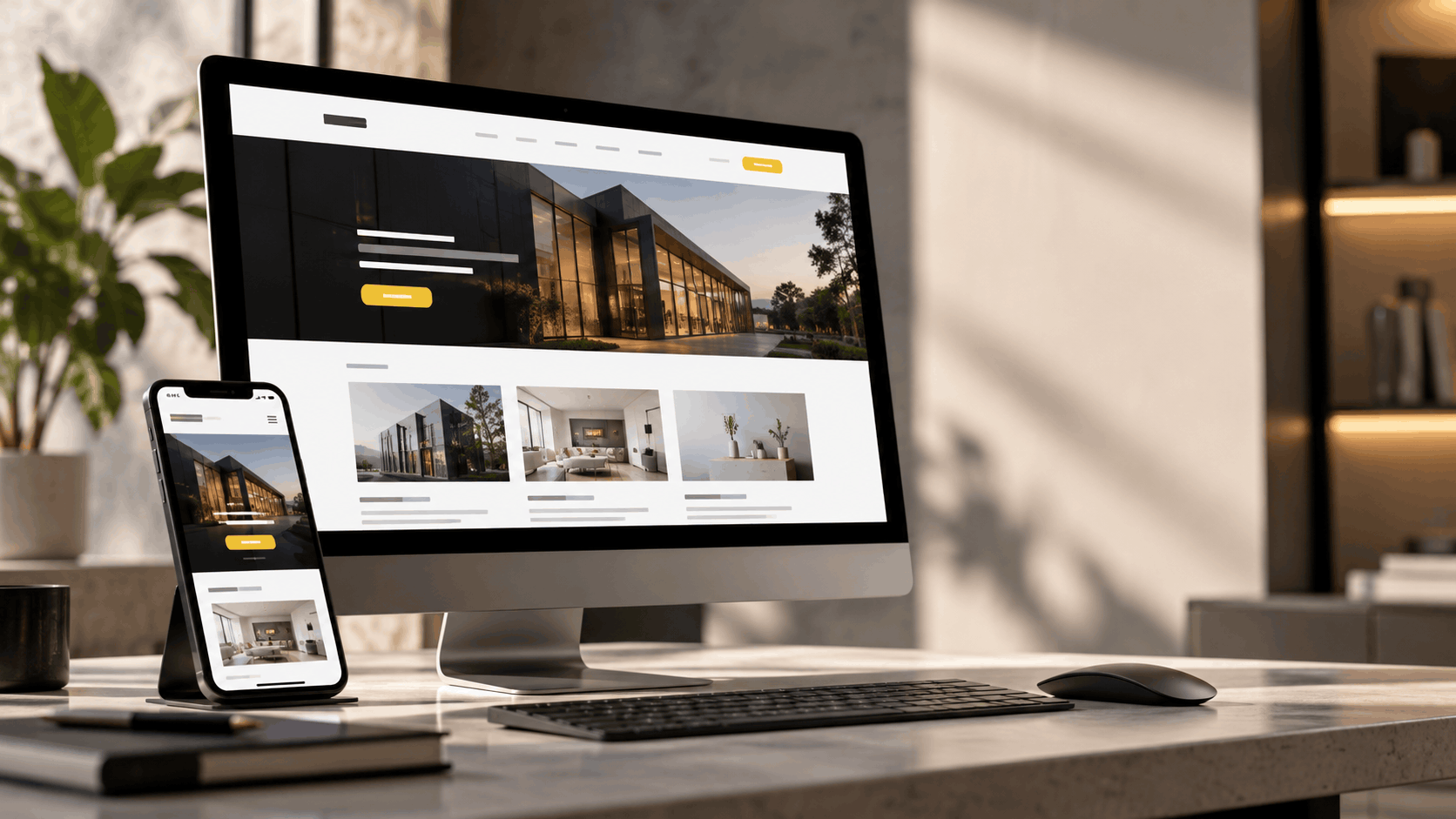
Does your website bring in enquiries, or just sit online? The right business website features Malaysia turn visitors into customers.
A good site does more than look neat. It explains your offer, earns trust, and guides people to act. Below are the must-have website features, written as a simple checklist. Use it to build a new site or review your current one. Add extras like WhatsApp, payments, bookings, or extra languages only when they fit how your customers buy.
What Should a Business Website Include?
It should help visitors understand your offer, trust you, find facts fast, and take action. Every feature must serve a real customer or business need.
| Feature Group | Purpose | Simple Test | Priority |
| Message and next step | Explain the offer | Can a visitor say what you sell in 5 seconds? | High |
| Mobile and speed | Keep visitors on the page | Does it load fast on a phone? | High |
| Trust and contact | Build confidence | Can I find proof and a way to reach you? | High |
| SEO and security | Get found and stay safe | Is it crawlable and on HTTPS? | High |
| Tracking | Learn what works | Do you know which actions bring enquiries? | Medium |
Now let’s look at each feature, starting with the message.
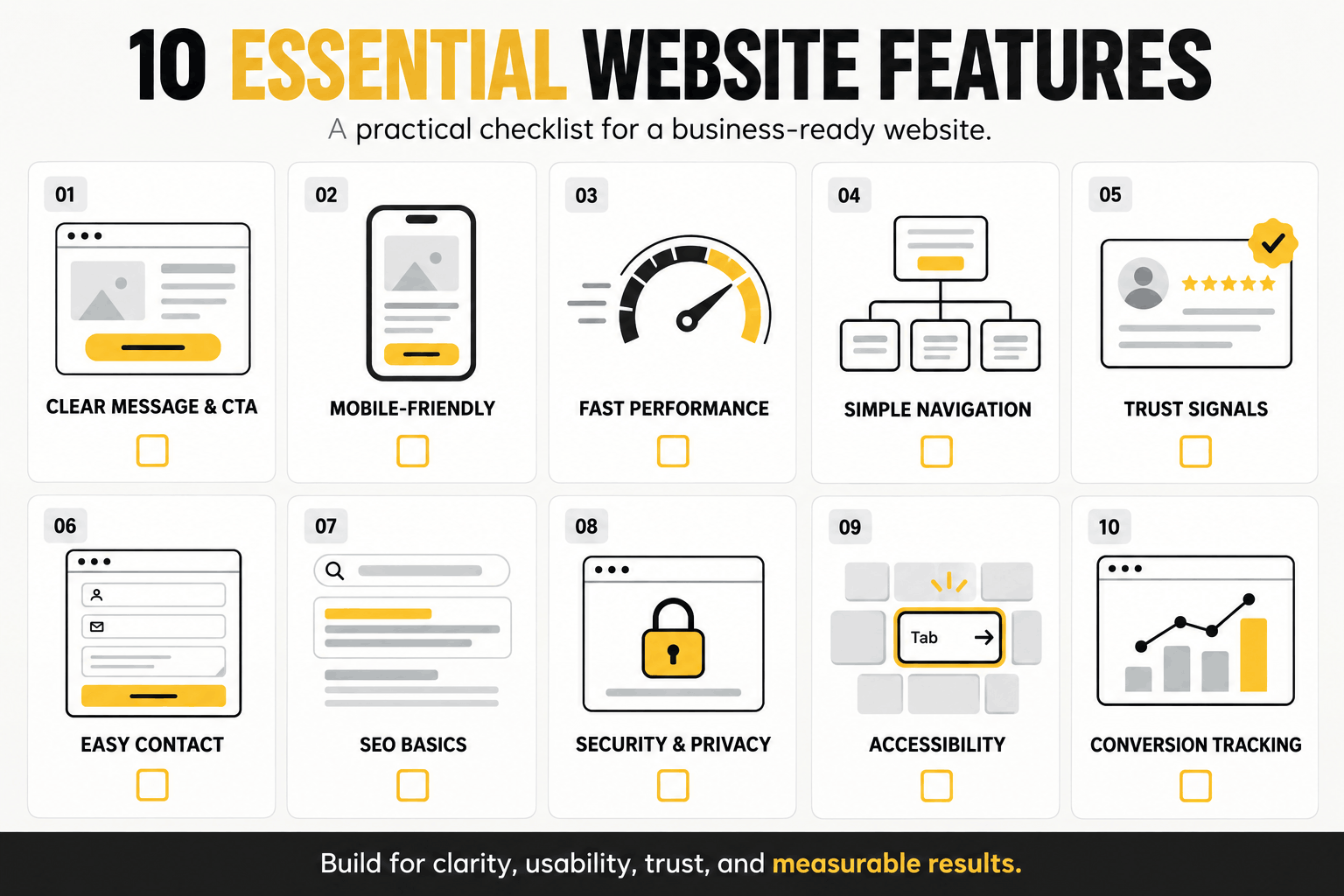
The 10 Must-Have Website Features Every Malaysian Business Needs
1. Clear Value Proposition and an Obvious Next Step
Visitors should know what you do, who you serve, and what to do next within seconds. State your main benefit in plain words. Skip vague slogans. Add one main button, like “Request a Quote.”
Check: Can a new visitor see your offer and next step quickly?
2. Mobile-Friendly, Responsive Website Design in Malaysia
Once the message is clear, make sure it works on a phone. Many people browse on small screens. Google also mainly uses the mobile version of your content for indexing, as Google’s mobile-first guide explains.
Good responsive website design in Malaysia means readable text, big tap buttons, short forms, and images that resize. Key facts must show on mobile too.
Check: On your phone, go from homepage to service page, to proof, to contact.
3. Fast Website Performance and Stable Pages
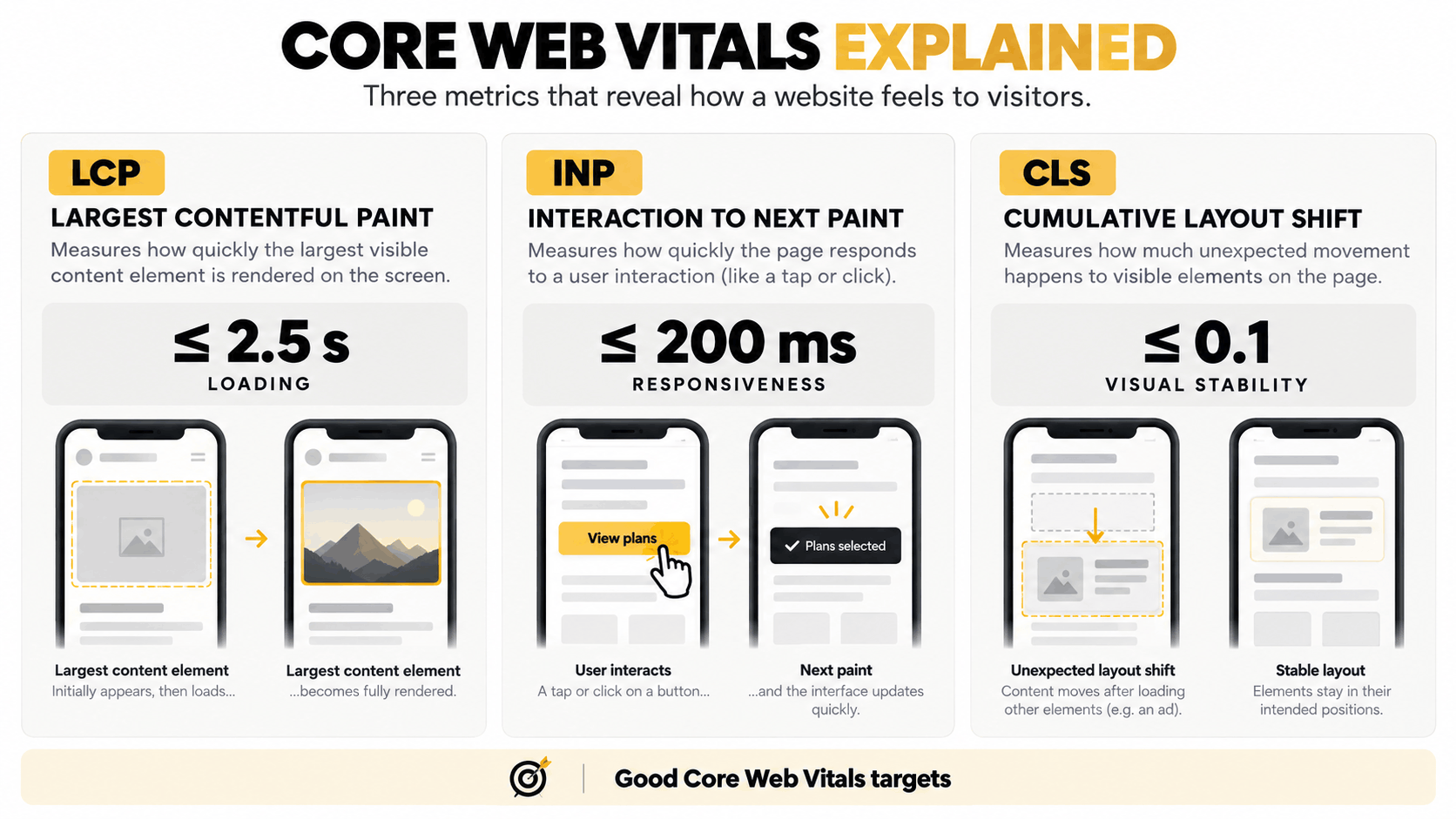
A mobile site must also load fast. Aim for these Core Web Vitals targets from web.dev:
- Largest Contentful Paint (LCP): 2.5 seconds or less
- Interaction to Next Paint (INP): 200 milliseconds or less
- Cumulative Layout Shift (CLS): 0.1 or less
They measure load speed, tap response, and page jumps. Slow sites often have large images, extra scripts, third-party widgets, weak hosting, or no caching.
Check: Use PageSpeed Insights to find causes. Do not chase one score.
4. Simple Navigation and Clear Site Structure
Fast pages help only if people can find what they need. The menu shows where to click. Site structure is how pages are grouped behind it. Both must be clear.
- Short main menu
- Plain menu labels
- Services grouped in a logical order
- Links between related pages
- Breadcrumbs where they help
- No crowded menus
Check: Can users reach key pages without guessing?
5. Trust Signals That Support Credibility
Once visitors find your page, they ask one thing: can I trust this firm? Show real proof. Use genuine testimonials, case studies, project photos, team details, verified credentials, clear contact details, and a clear process.
- B2B company: case studies
- Service provider: finished projects
- Consultant: skills and credentials
- Retailer: customer reviews and clear policies
6. Easy Contact Options for a Lead Generation Website
Trust leads to the next step: contact. A lead generation website makes that step simple. Offer a short form, click-to-call, email, WhatsApp, or a booking tool. Pick what your customers prefer. Ask only for needed details.
Use clear buttons like “Request a Quote,” “Book a Consultation,” “Check Availability,” or “Talk to Our Team.” Avoid “Submit,” “Go,” and “Click Here.”
7. SEO-Friendly Website Structure
People also need to find you first. An SEO-friendly website is easy for search engines to read. It gives you a strong base, but it does not guarantee rankings.
- Crawlable HTML content
- Clean, logical URLs
- Clear title tags and headings
- Internal links and an XML sitemap
- Image alt text where useful
- Canonical tags and structured data where needed
- Separate pages for key services
A solid base makes crawling and updates easier. That supports your future SEO work.
8. Security and Privacy Protections
Visitors will not share details on a site that feels unsafe. Website security in Malaysia starts with HTTPS, but HTTPS alone is not enough. Also keep software and plugins updated, limit access, run backups, secure forms, and protect accounts.
Privacy is a separate duty. If forms or accounts collect personal data, review Malaysia’s Personal Data Protection Act 2010 (PDPA) on the official PDP site. This is not legal advice, so ask a qualified adviser.
9. Accessible and Easy-to-Use Interfaces
A safe site should also be easy for everyone to use. This helps all visitors, not just those who need extra support. The WCAG 2.2 guidelines are the main standard. Key points:
- Strong text contrast
- Alt text for meaningful images
- Keyboard use
- Clear form labels
- Visible focus states
- Clear error messages
- Large buttons
- Logical headings
- Pages that work when zoomed
10. Analytics and Conversion Tracking
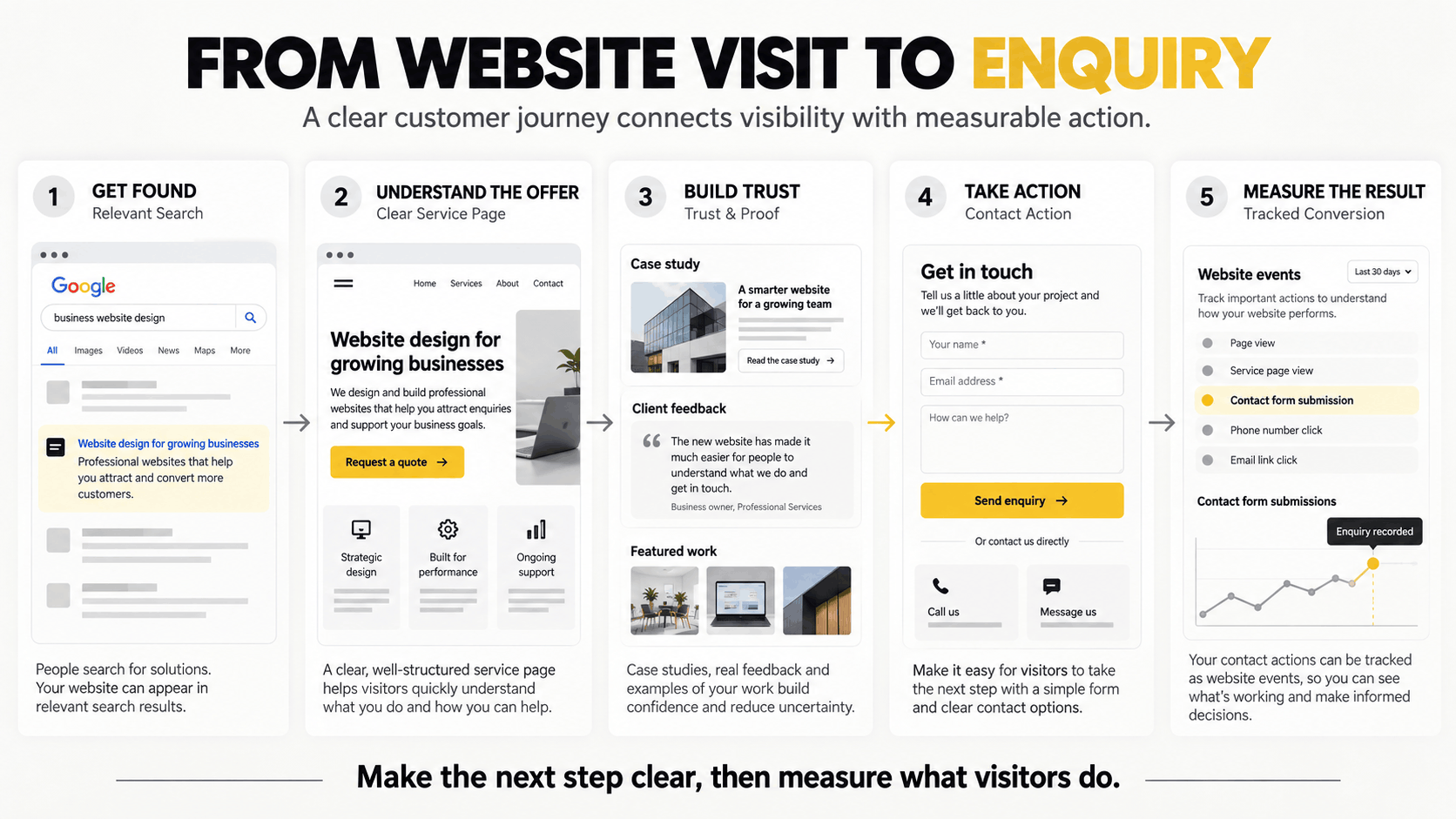
Last, measure what works. Visits show traffic. Conversions show results. Set up Google Analytics 4 and Google Search Console. Then track form sends, phone taps, WhatsApp clicks, bookings, purchases, and quote requests. Google’s guide shows how to mark key actions.
Check: Can you tell which actions bring real enquiries or sales?
Which Website Features Depend on Your Business Model?
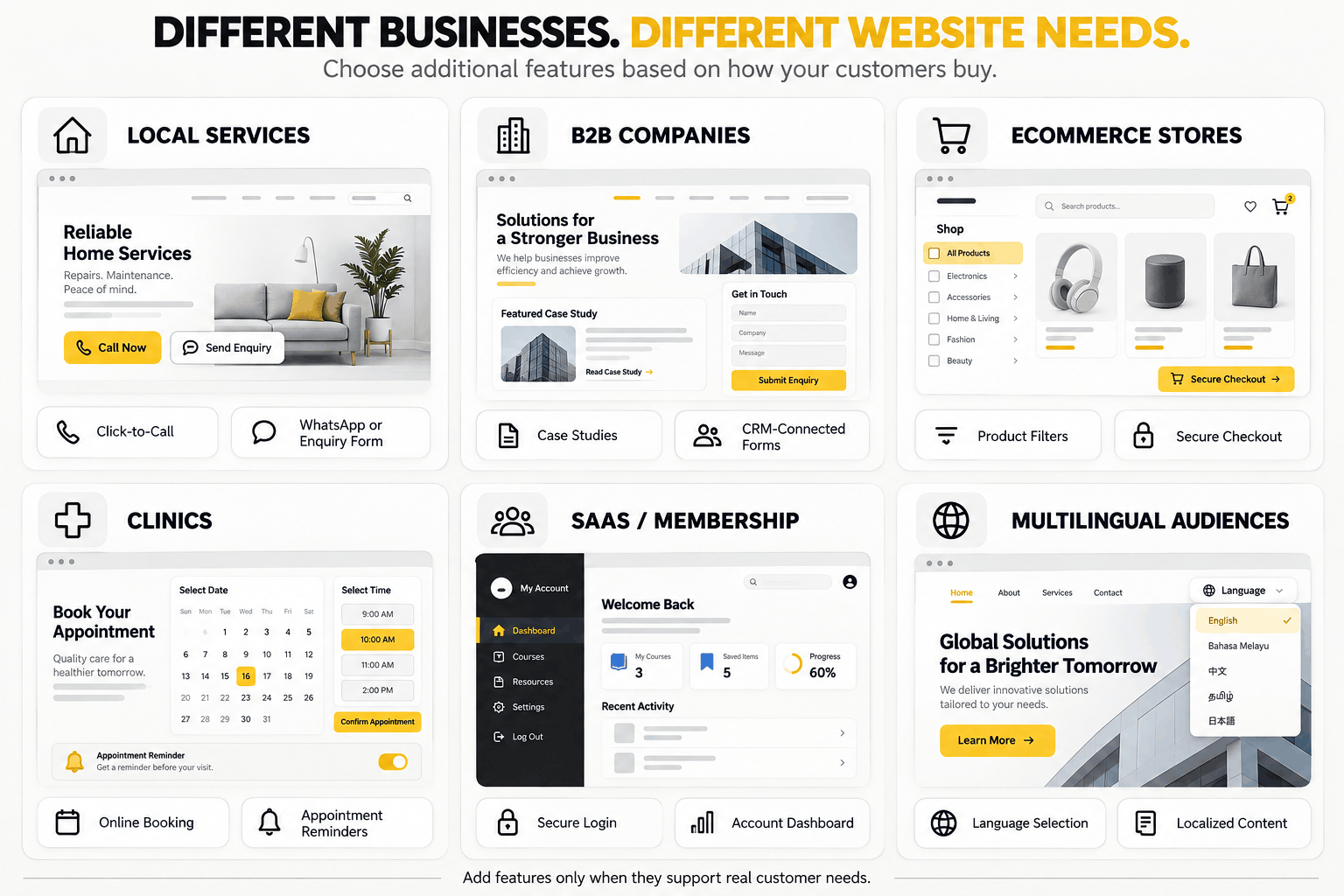
The ten features above suit most sites. Extras depend on how you sell. See this guide to the types of websites for business for more detail.
| Business Type | Useful Extra Features | Why |
| Local service | WhatsApp, click-to-call, service areas, forms | Quick local contact |
| B2B company | Case studies, service pages, CRM forms, downloads | Longer buying process |
| E-commerce | Filters, cart, checkout, payments, order tracking | Easy online buying |
| Clinic | Booking calendar, reminders, location details | Fewer missed visits |
| Membership or SaaS | Secure login, dashboard, subscriptions | Account control |
| Multi-language | Language versions based on audience | Reach more customers |
Small Business Website Features to Fix First on a Budget
Limited budget? Pick business website features Malaysia by customer impact. Fix small business website features in this order:
| Priority | What to Fix First |
| 1. Critical base | Broken mobile view, HTTP setup, unusable menus, broken forms, major speed problems |
| 2. Conversion boosts | Clearer messages, better service pages, stronger buttons, trust proof, simpler enquiry steps |
| 3. Growth tools | CRM links, advanced booking, multi-language, customer portals, custom website development in Malaysia |
Affordable does not mean cheapest. Pay for what your business truly needs.
Business Website Checklist Malaysia Owners Can Use
This business website checklist malaysia gives you a quick self-review. Tick each box.
- Can visitors quickly see what you offer?
- Is the main next step obvious?
- Is the main journey easy on mobile?
- Do key pages load and respond fast?
- Can visitors find services or products easily?
- Does the site show real trust proof?
- Can visitors contact you without friction?
- Is the site crawlable and served securely?
- Are key tasks easy for all users?
- Are enquiries and sales measured?
Improve the Existing Website or Rebuild It?
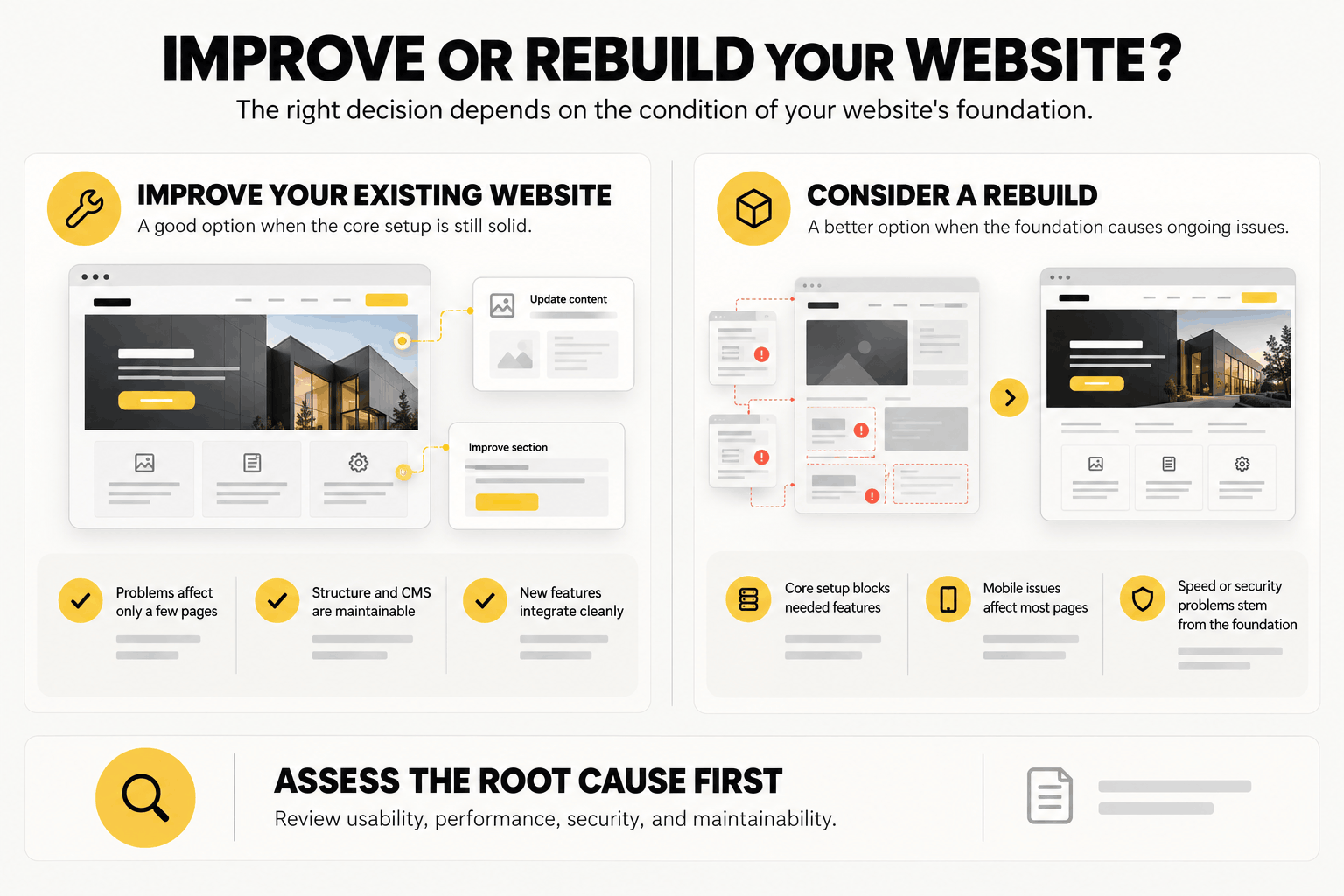
If many boxes stay empty, you have a choice. Fix what you have when problems are small. Rebuild when the base is the problem.
| Improve Existing Website | Consider a Rebuild |
| Problems sit on a few pages | The setup blocks key tools |
| Structure is still sound | Pages are hard to navigate |
| CMS is easy to maintain | CMS is hard to maintain or extend |
| Mobile use is mostly good | Mobile problems hit most pages |
| New features add cleanly | Speed or security issues come from the base |
If you need a rebuild, look at website development services for businesses in Malaysia that start with your goals, not a template.
Build Around Customer Needs, Not More Features
The best site is not the one with the most features. Core features should cut friction and make the site easy to use. Add advanced tools only when customers or your team need them. Do not copy a rival just because they have it. Let your tracking data guide each upgrade.
These essential website features give you a strong base. The Creatives 360 can help you review your structure, tools, and user journey, so your business website features Malaysia work as hard as you do.
Frequently Asked Questions
What pages should be available on a business website?
Home, About, Service/Product, Contact, and Proof (e.g., Testimonials or Case Studies) are a good starting point. As you progress, you will also need a Blog page and FAQ.
Do all Malaysian business websites need WhatsApp?
No. WhatsApp is for businesses that focus on fast chat with customers. (e.g., local services) Other times, you can rely on forms or emails, or tools to book a service.
How often should I review my business website?
Speed, forms, and security (check) every month. Every six to 12 months, or after major changes to your offering, do a full review.
What are the most important business website features for a business in Malaysia?
Clarity of message, Mobile, Speed, Menu, trust proof, contact, simplicity, SEO Basics, Security, Tracking. Extras are only if they make sense for your customers.
What is a Business Website Checklist for Malaysia?
A quick list of the must-have features of a website. Things like mobile, speed, trust-proof, tracking, etc. It’s useful to identify gaps before you build or upgrade.
Need a Website Built Around Your Business Goals?
If you have a lot of missing foundations in your current website, or you’re thinking of a new website, The Creatives 360 can help you assess the structure, function, user flow, and development needs for your business in Malaysia.